


|
Name |
Nomad Sculpt |
|---|---|
|
Google Play Link |
GET IT ON
Google Play
|
|
Category |
Art & Design |
|
Developer |
Hexanomad |
| Last version | 2.10 |
|
Updated |
|
|
Compatible with |
Android 6.0+ |
Introduction to Nomad Sculpt APK
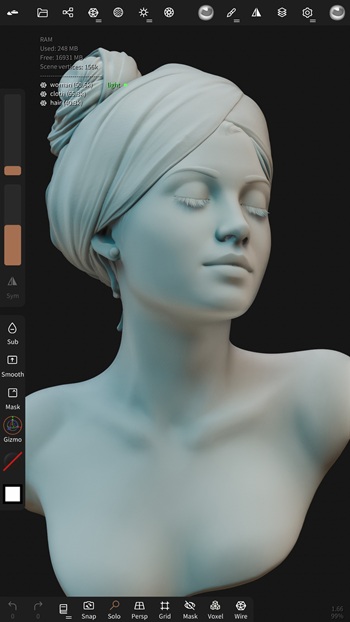
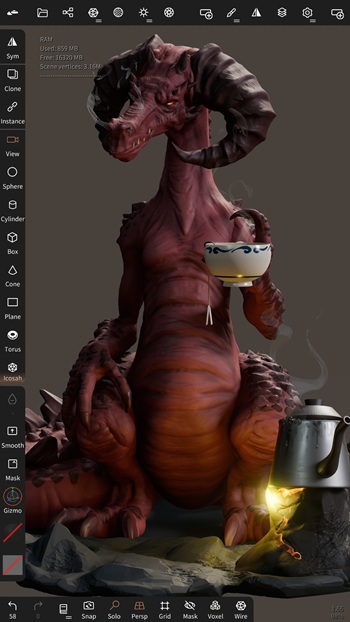
Nomad Sculpt is a mobile 3D sculpting app made for people who want to build, shape, and paint digital models—straight from their phone or tablet. This isn't a game or a gimmick; it’s a full-fledged creative toolkit packed into a sleek interface. Whether you’re sketching out a new character idea, sculpting detailed environments, or just fiddling with shapes while binge-watching something—Nomad makes it insanely easy to create without being chained to a desktop.
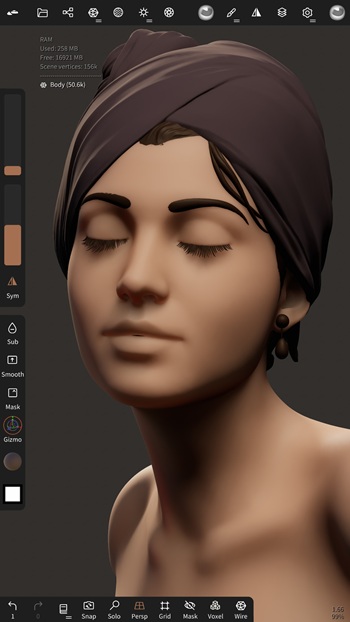
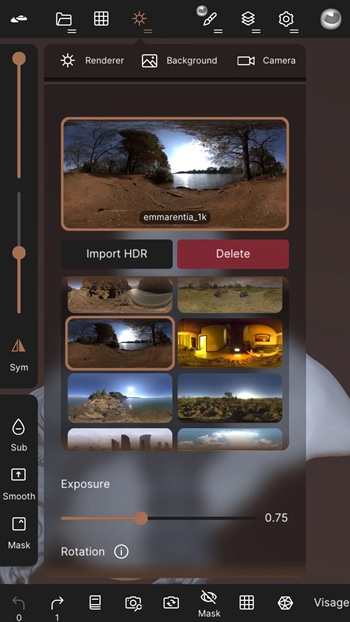
It’s a digital sculpting studio in your pocket. No bulky setup. No extra gear. Just your hands, a screen, and a set of tools that rival what you’d find in pro-grade software. From clay-like deformation to intricate texturing and painting, Nomad Sculpt hands you full creative control with brushes, layers, and real-time rendering options that are ridiculously responsive.
One of the app’s biggest flexes? Its brush engine. You’re not locked into just a few presets—you can adjust everything from falloff to pressure sensitivity, and even build your own tools. Plus, the painting feature is solid. We’re talking vertex painting that supports color, metalness, and roughness, letting you visualize how light interacts with your sculpt in real time.
Another standout is its layer system. It’s clean, intuitive, and designed to keep your process flexible. You can stack sculpting and painting changes separately, roll things back without drama, and try out new directions without wrecking your whole model. For anyone used to desktop workflows, this is a breath of fresh air.
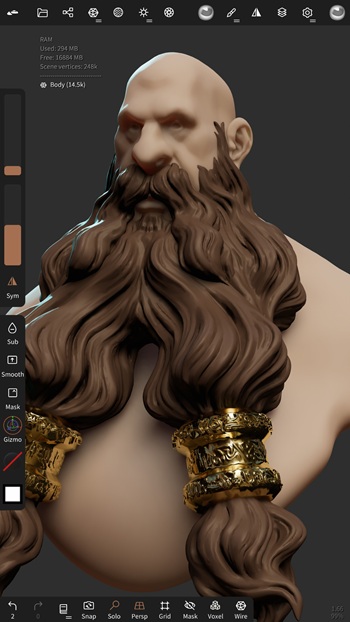
And yes, the mesh workflow is legit. There’s voxel remeshing when you want to sketch quickly, multiresolution sculpting for bouncing between detail levels, and dynamic topology that adds detail exactly where your brush goes. Everything reacts smoothly, which makes it perfect for on-the-go artists or anyone wanting to jump into modeling without a technical learning curve.
For those who want to export their work or push it to the next stage, the app supports major formats like OBJ, STL, PLY, and glTF. There’s also UV unwrapping, baking, and even quad remeshing if you spring for the extra add-on. It’s all there when you need it—and stripped back when you don’t.
All of this is wrapped in a mobile interface that doesn’t feel like a compromise. It’s polished, user-friendly, and actually customizable. So if you're someone who thinks big but works small (like, literally on a small screen), Nomad Sculpt makes it possible to go from doodle to 3D model without touching a PC.
FAQs Nomad Sculpt
What is Nomad Sculpt?
+
Nomad Sculpt is a mobile 3D sculpting app that lets users model, paint, and render digital creations using tools like brushes, layers, and dynamic topology.
Is Nomad Sculpt good for beginners in 3D art?
+
Yes, it’s beginner-friendly with an intuitive interface, customizable brushes, and non-destructive layers—great for learning 3D without feeling overwhelmed.
Can I use Nomad Sculpt for professional 3D work?
+
Absolutely. Artists use it to create professional-level assets, with support for mesh export, UV unwrapping, baking, and quad remeshing via in-app purchase.
Does Nomad Sculpt work offline?
+
Yes, once downloaded, Nomad Sculpt runs completely offline—no internet required to sculpt, paint, or export your 3D models.
What file formats does Nomad Sculpt support?
+
Nomad Sculpt supports exporting and importing formats like OBJ, STL, PLY, and glTF, making it easy to use across other platforms or 3D printing tools.
Discover More Interesting Apps
-
 Mod
Mod
FlipaClip
v5.0.2
170.08 Mb
Updated -
Mod
AI Image Generator
v3.0.7
44.01 Mb
Updated -
Mod
Pixelcut
v0.9.67
68.75 Mb
Updated -
Mod
AR Drawing
v5.2.7
98.06 Mb
Updated -
Mod
Crafto
v11.7.8
206.00 Mb
Updated -
Mod
Festival Poster Maker & Post
v6.0.8
67.80 Mb
Updated -
Mod
PixAI
v4.25.0
35.96 Mb
Updated -
Mod
Castle
v292.0
118.86 Mb
Updated -
Freepik AI
v6.4.4
66.00 Mb
Updated -
True Liquid Glass
v17.2
10 MB
Updated









Share Your Thoughts